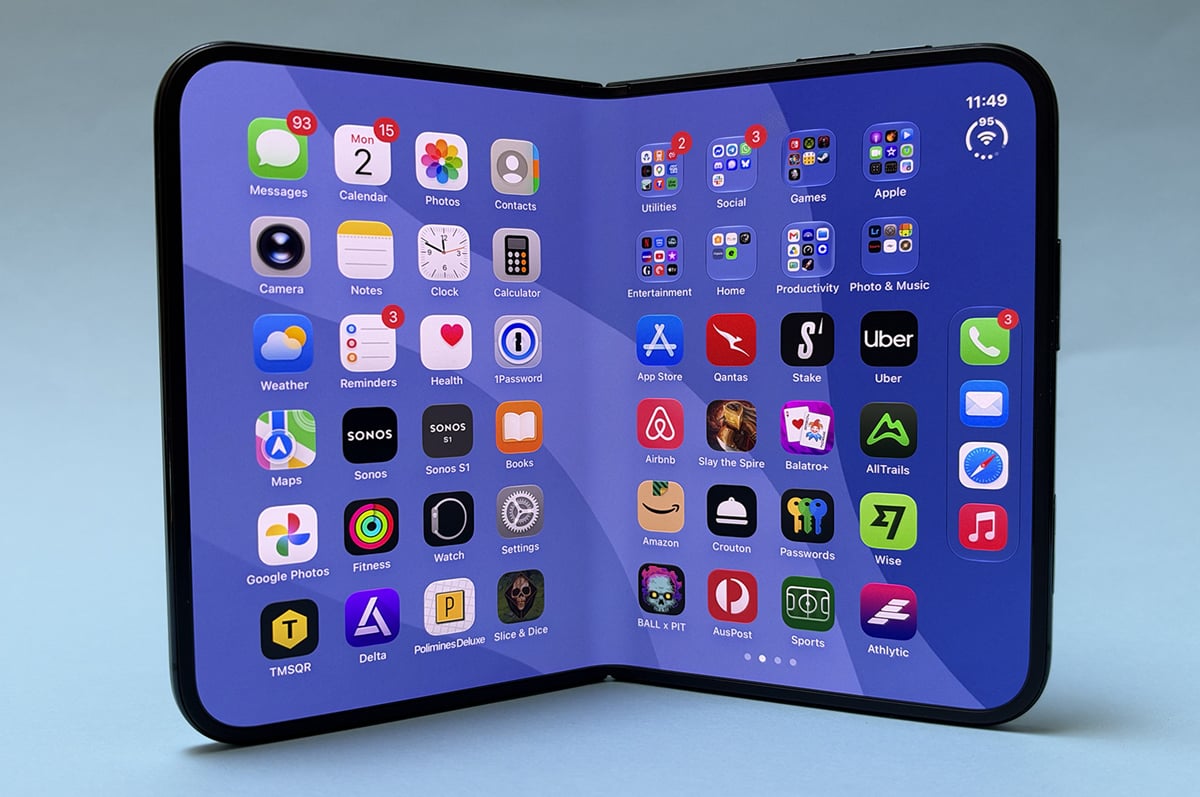
- Matte internal display is lovely
- Great multi-tasking
- Solid battery life
- Very expensive
- No Face ID
- Cameras not as a good as "traditional" iPhone
It is a truth universally acknowledged that a foldable in possession of a large display must be in want of optimised apps.
When unfolded, the iPhone Duo has a gorgeous display, but not enough apps can take advantage of it. Apps that haven’t been optimised open floating in the middle of a black void, leaving the rest of the screen unused. This is the kind of situation that will get better as time goes on, but is exemplary of the “first generation” nature of the iPhone Duo.
With the iPhone Duo, it’s clear that Apple has a lot of ideas about what a “big” iPhone can be, but reality often gets in the way. Strengths are balanced by compromises, meaning the iPhone Duo has one foot in the future and the other in the past. It’s fun but frustrating. It’s the most I’ve had to “think” about an iPhone when using it in a long time, and that’s without considering the price.
|
#1
|
Optus

$136.18/mth
Min. cost $3,537.48
Link not supplied
|
|
#2
|
Vodafone

$142.19/mth
Min. cost $3,543.84
Link not supplied
|
|
#3
|
Telstra

$161.19/mth
Min. cost $3,562.84
Link not supplied
|
Passport to a pocketable iPad
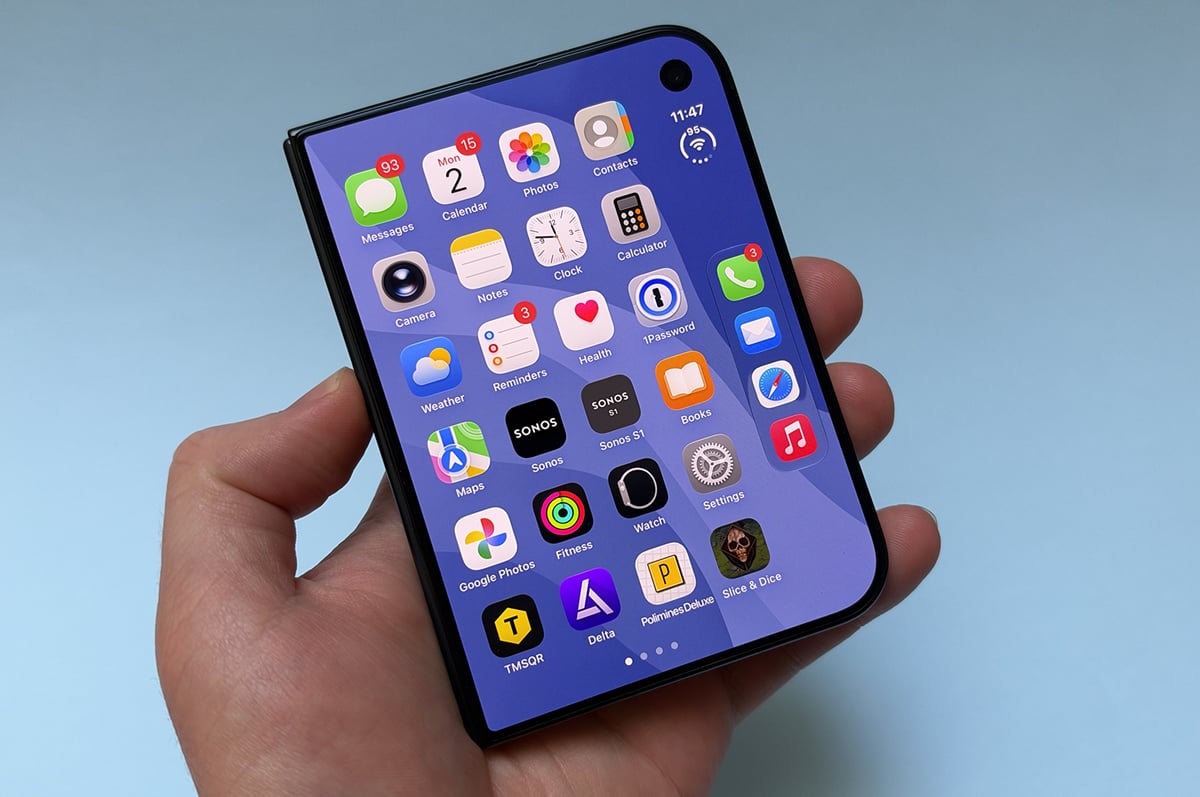
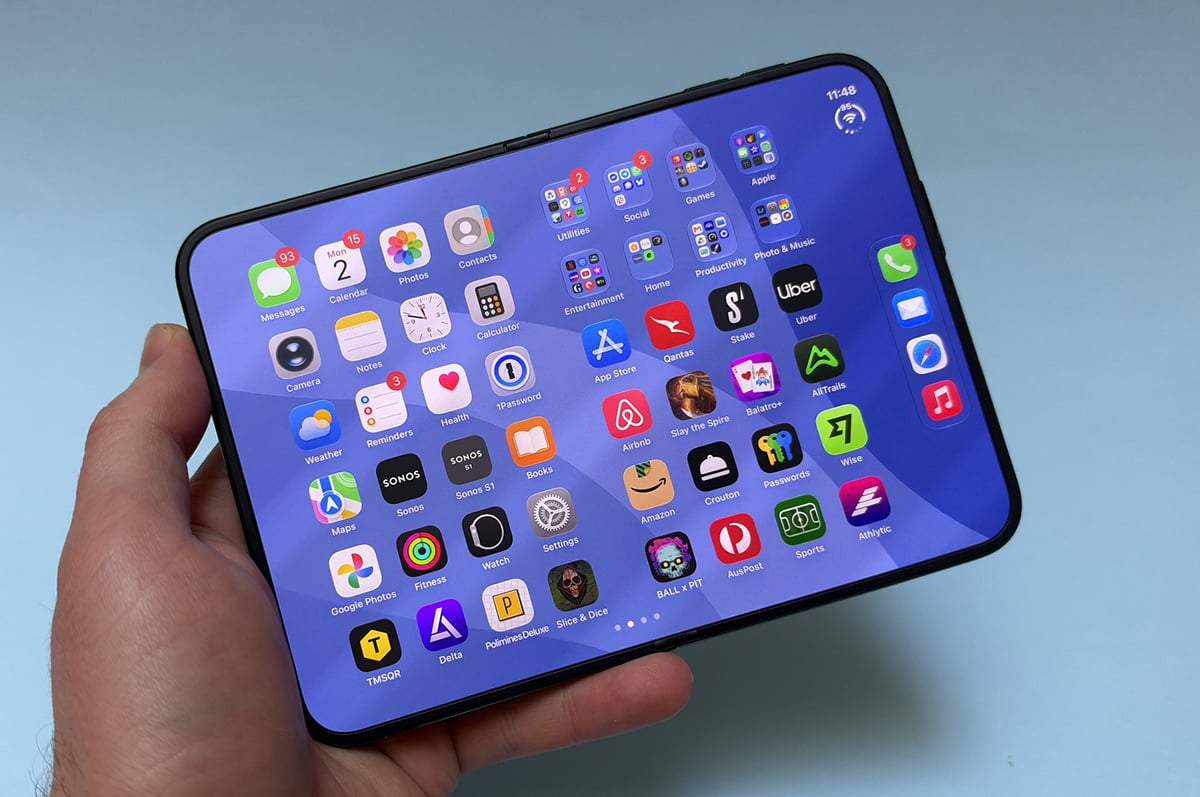
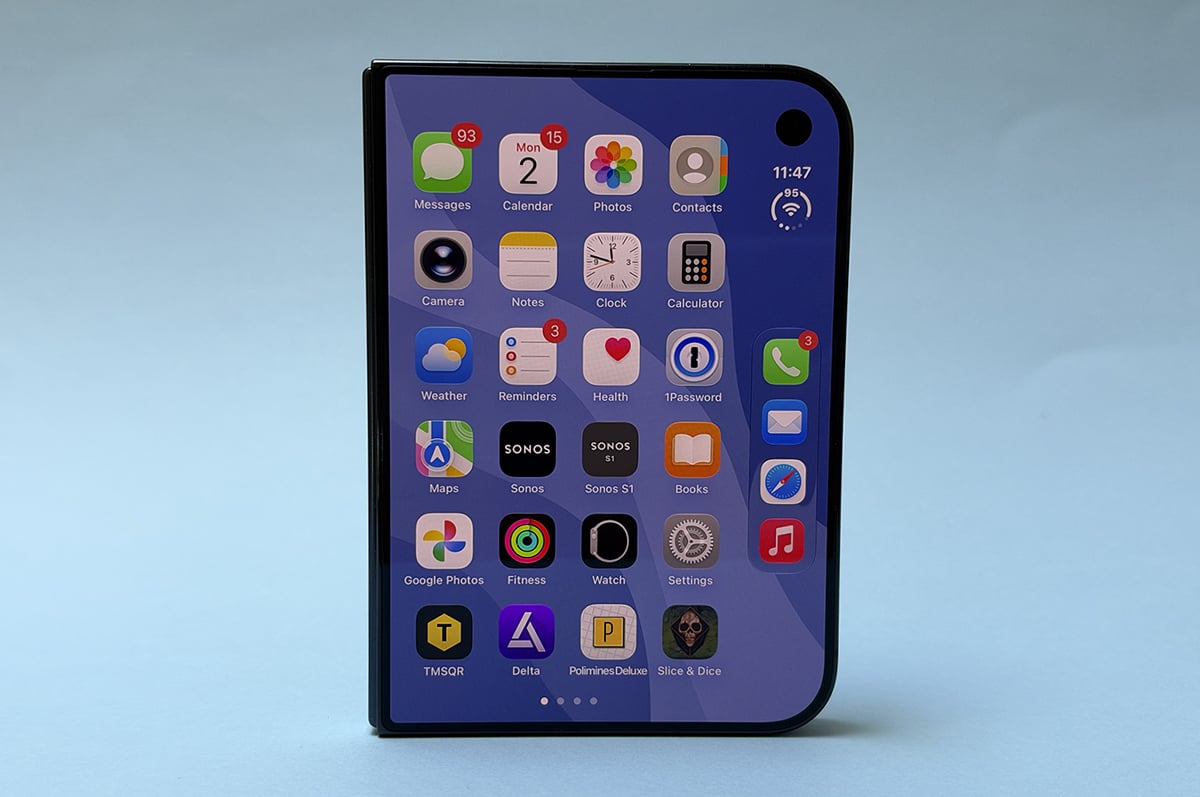
Let’s start with the basics. The iPhone Duo is Apple’s first foldable phone. Rather than opting for a tall and narrow device that unfolds into a square, the iPhone Duo is passport-like. It has a short and chubby 5.4-inch display that becomes a 7.6-inch device that’s almost like an iPad mini.
When the iPhone Duo is shut, it’s small but heavy. While it feels like a wider iPhone mini, the 254g weight is very noticeable. That’s only a little heavier than an iPhone 18 Pro Max, but concentrated into a smaller area. I was able to mostly use the iPhone Duo with one hand, but two hands felt a lot more natural. The screen is wider than even the iPhone 18 Pro Max, so reaching from one side of the screen to the other is a wider stretch. I also found it pretty hard to hand a photo at a gig with a beer in my other hand, which has never been an issue with a more traditional slab iPhone.
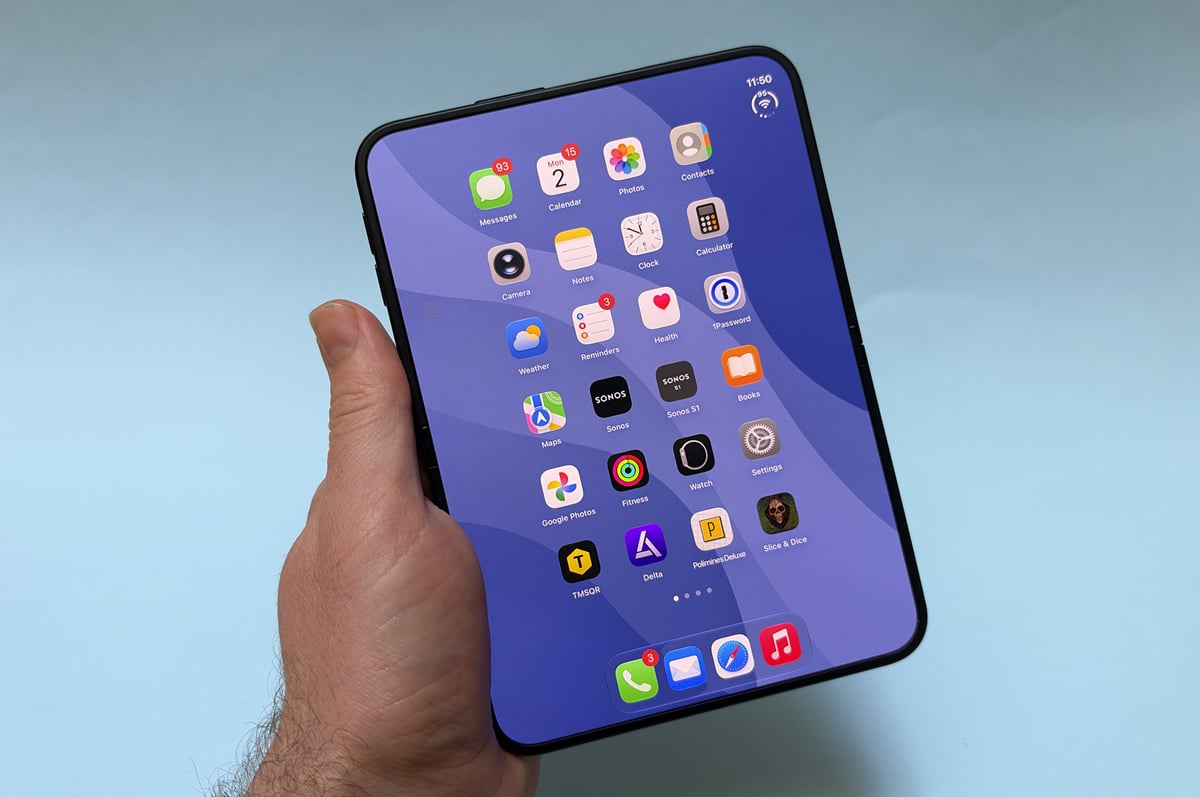
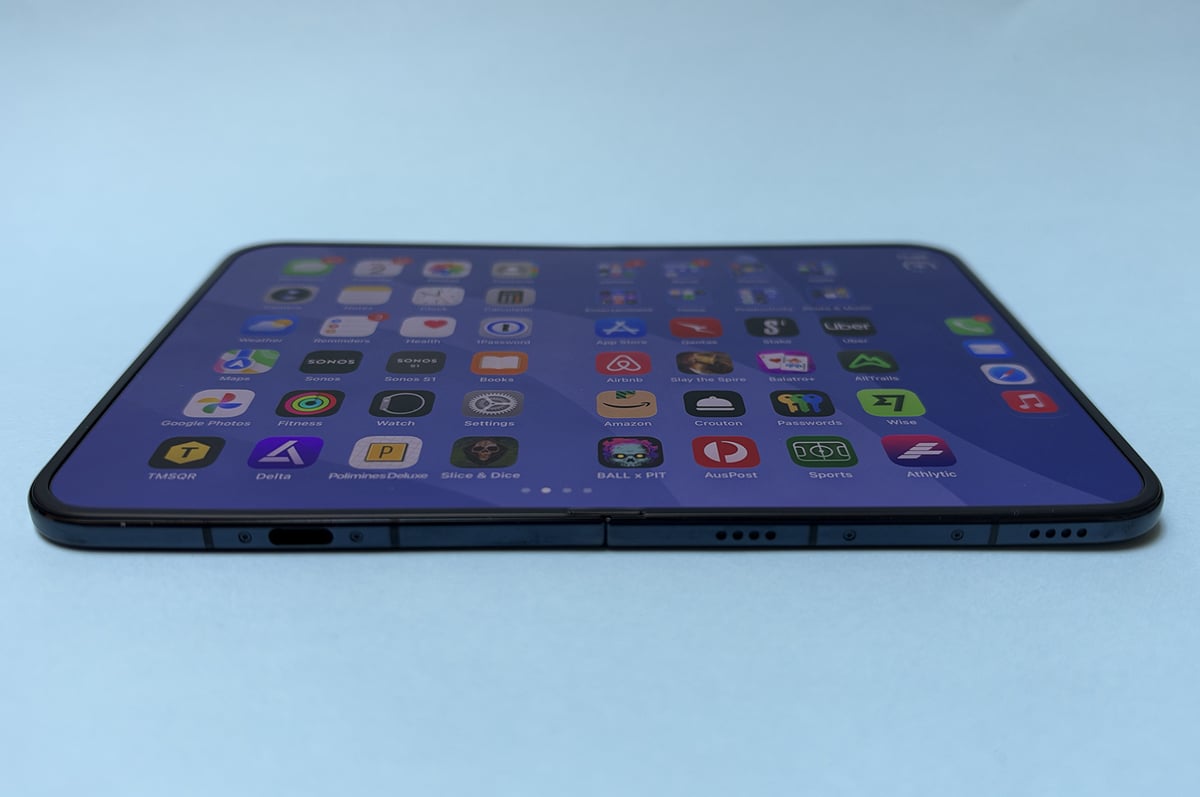
Unfolded, the iPhone Duo feels like a futuristic iPad mini. The bezel is thin, the device is 5.2mm at its slimmest point, and the matte nano-texture display is gorgeous. It feels appropriately premium for a display that isn’t traditional glass, and also helps minimise reflections. This assists in hiding the crease, which is largely quite hard to see. In my testing, I only noticed the crease when looking at the iPhone Duo off-axis, or under direct lighting. For what it’s worth, I found dark mode could make the crease a little more apparent than light mode. I couldn’t feel the crease most of the time, but it is a little more prominent in the dead centre of the phone.
On top of these two main “modes”, you can also use the iPhone Duo in two partially unfolded positions, which I’ll call tent and laptop.
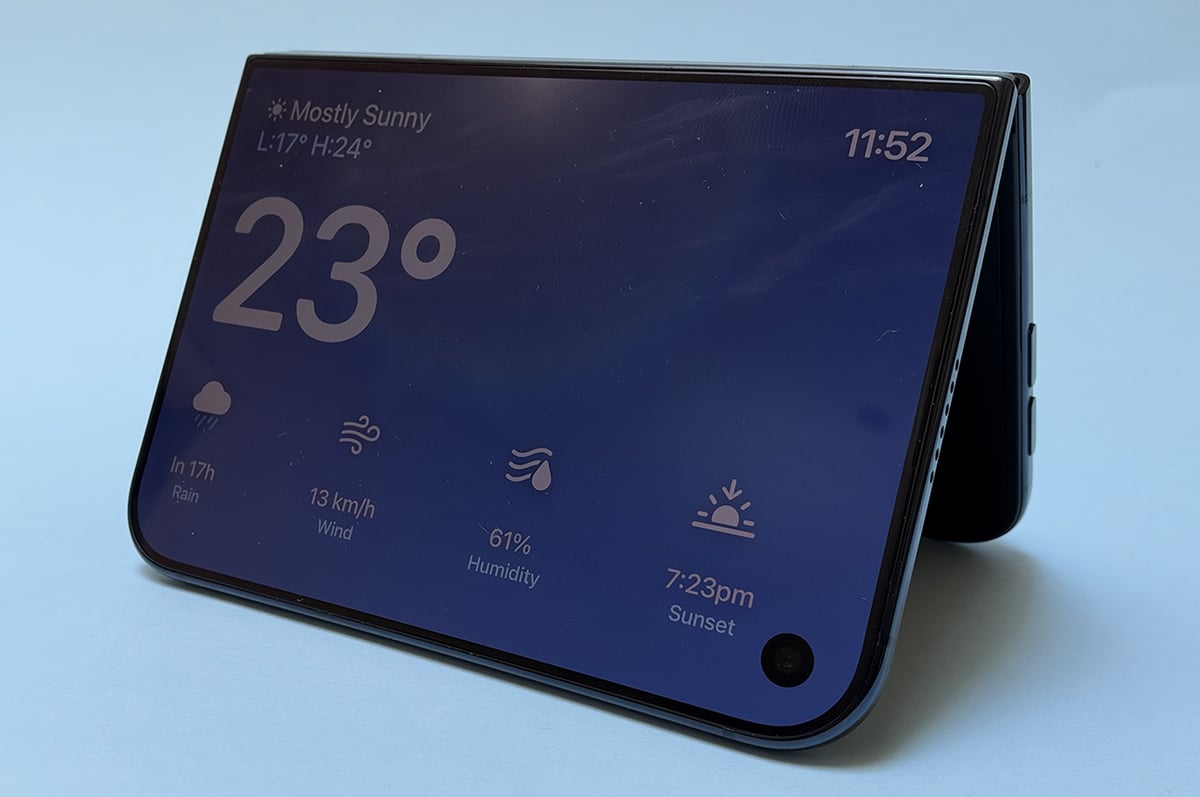
In tent mode, where you prop a partially unfolded iPhone Duo up like a tent, the device goes into StandBy, where it works more like a smart display. You get a clock, calendar, and more. This exists on other iPhones, but requires the handset to be in landscape on a magnetic charger.
Laptop mode, is where, surprise surprise, you have the iPhone Duo open like a laptop. While you can try and use it like a tiny laptop with they keyboard relegated to one half of the screen, this is a worse typing experience than holding the iPhone Duo in your hands. Instead, it’s more useful for propping the phone up to watch a video, for example, when you don’t have another way of doing so.
This versatility, I assume, is why Apple wanted developers to build specifically for the iPhone Duo, rather than just letting it run iPad apps and calling it a day. And you know what, there are some cool examples of apps that make good use of the “in between” states. Netflix has a good but simple take on laptop mode, where your video appears on the top part of the iPhone Duo, while playback controls are on other half. With Halide, you can use the the bottom part of the iPhone Duo as a waist-level viewfinder. And then there are sillier takes like all the accordion apps. These might not have lasting appeal, but they’re certainly novel.
Even when apps haven’t gone all in on folding specific features, there are multiple levels of optimisation. At the best, apps go all in on Apple’s iPhone Duo design ideas, moving control elements to the right-hand side of the device. Then there’s somewhat optimised apps, that scale to the bigger display when unfolded, but not device-specific design changes. And finally, there are apps that aren’t at all optimised. When you unfold the iPhone Duo, these apps are surrounded by a black well of space. You can “zoom in” on them two make them fill more of the screen, but this just makes the app “bigger”. A single meme shared on Discord can take up the majority of the screen, rather than scaling to the display.
While it’s still early days for the iPhone Duo, unoptimised apps easily outnumber optimised apps. At time of writing, Bluesky, Discord, Qantas, Australia Post, Google Drive, Binge, Uber, Letterbox, MyMacca’s, ANZ, and AllTrails, among others, all fit into the unoptimised bucket. This isn’t dissimilar to when the iPhone X came out, and developers needed to rebuild their apps for the bigger, taller display. While the situation will inevitably get better over time, it’s a question of how long it will take. I reviewed the iPhone X about two months after it launched, and even then I was still running into plenty of apps that weren’t playing nicely.
It’s also worth noting that apps that have been optimised aren’t necessarily perfect, either. In Facebook, the “open in Safari” button is stuck under the selfie camera when the phone is folded. With Messenger, I’ve found myself having to force close and restart the app to get the keyboard to not cover my conversation history. I’m sure this will get sorted in time, but these kind of issues do detract from the iPhone Duo experience.
Funky fresh
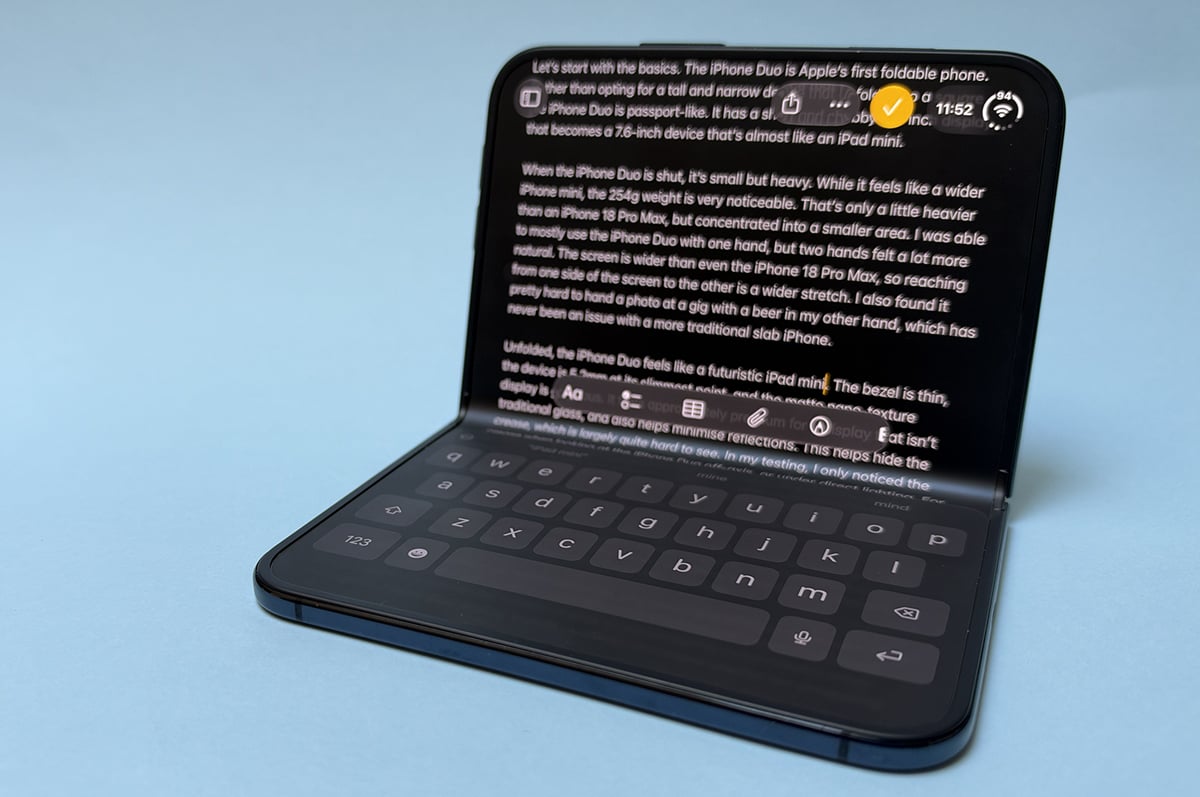
The app ecosystem may not meet the iPhone Duo’s lofty hardware’s but Apple’s software experience helps the foldable shine. Apple has rethought iOS for the iPhone Duo in a way that’s both considered and fresh. The big change is that the dock and primary controls for apps now sit on the right of the screen. On the external display, this addresses the phone’s asymmetry by not extending the rest of the display into that section on the screen. On the internal display, having key functions where you’re already holding the phone is great for usability.
If you’ve got two apps open in split-screen, you’ll get controls for the app on your left hand on the left of the phone. Multitasking is surprisingly intuitive, a better implementation than on iPad. If you’ve got an app open, as you swipe up to close, you can drag it to one part of the display, leaving you with your home screen on the other part. Here you can choose another app to open. Apple should bring this to iPad next year.
I didn’t initially think I’d get much out of running two apps at once, but I’ve found times where it’s surprisingly helpful. I’m part of a music recommendation Discord server, and having Discord and Apple Music up side-by-side is a great experience, for example. Similarly, it’s been great to refer to my notes app on half the phone with Slack on the other half.
The main caveats with multi-tasking is you can only do it when the iPhone Duo is in landscape, and you can’t adjust the size of the apps. They’re either full screen or half-screen, there’s no in between.
I also have to touch on the iPhone Duo’s animations. While they’re ultimately superficial, they really add to the overall experience. The slight blur as you fold and unfold the phone is lovely, as is the animation of swiping through home screens when the device is unfolded.
For all the good in Apple’s foldable take on iOS 27, there are some quirks. Primary controls sitting to the right of the app can make the app itself feel cramped. And while the new position of the app dock makes sense, muscle memory is hard to fight. There have been countless times where I’ve opened whatever app was at the bottom of my home screen when I’ve actually wanted Safari or Apple Music.
But all in all, the iPhone Duo is often a joy to use. It’s been really neat reading a book on the device’s primary display when walking home, and then switching to the bigger screen when I make it to the couch. It’s nice having a larger device to read on when I drink my coffee in the morning without thinking about keeping an iPad charged. There is a lot to love about an iPad that fits in your pocket.
No surprises
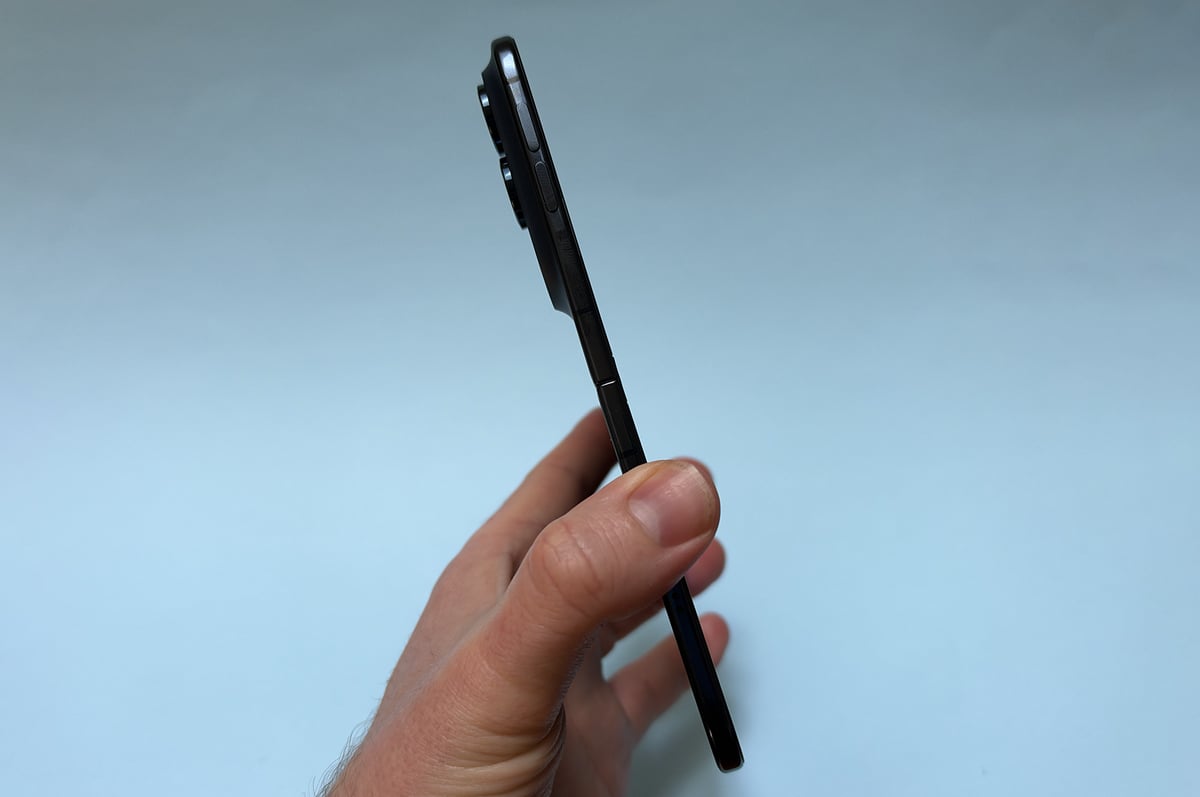
There’s nothing major to report when it comes to the iPhone Duo’s performance or battery life. The handset is powered by the same A20 Pro chipset that’s used in the iPhone 18 Pro and iPhone 18 Pro Max (albeit with slightly different thermal management) and it’s every bit as snappy. You’re not going to run into any issues here.
On the battery front, I’ve been getting between six hours of screen time and eight hours of screen time per charge when testing, when using both the internal displays a similar amount. Even at the lower end, that’s enough for a full day of use with a comfortable buffer.
The iPhone Duo supports MagSafe wireless charging and accessories, but the experience can be a little inconsistent. For the most part, devices like charging stands and car mounts work better with the phone folded. When it’s unfolded, you can only have it in portrait orientation; otherwise it slowly swivels.
A couple of compromises
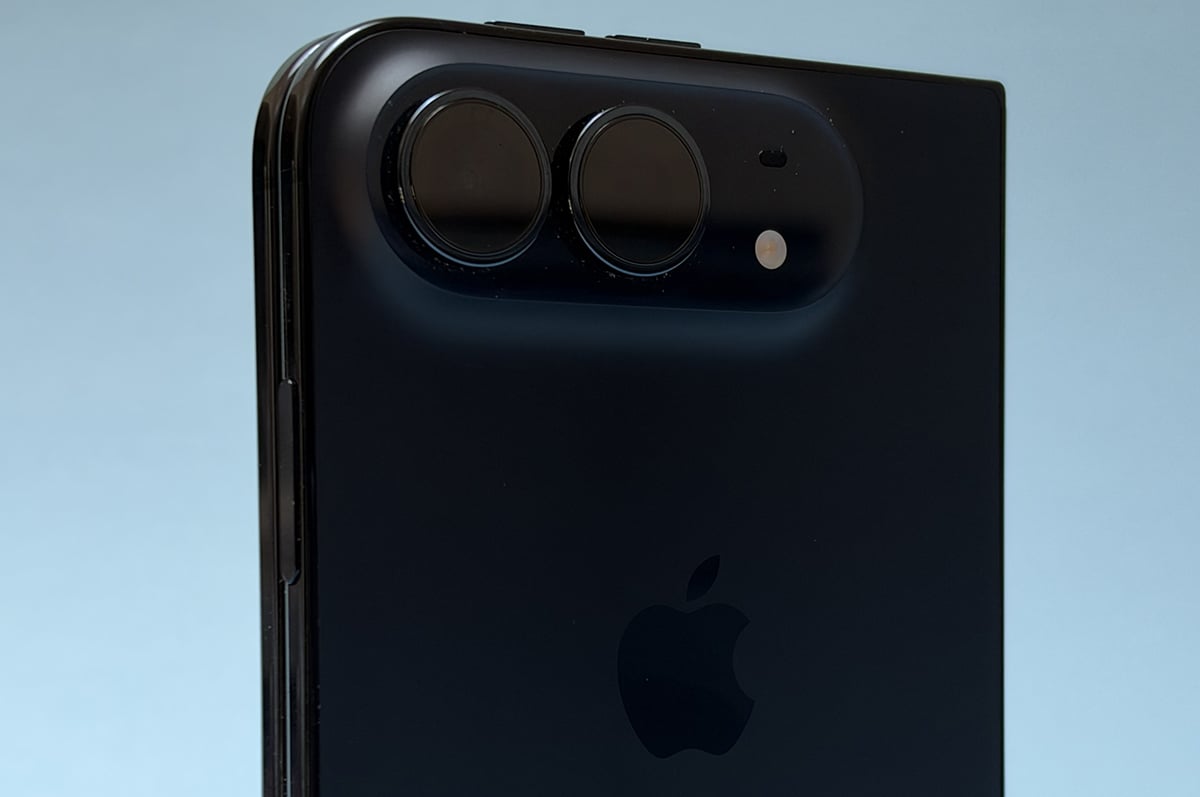
When it comes to the compromises made by the iPhone Duo, the lack of Face ID is the most noticeable. I was surprised by how much I missed it. Apple has gone back to Touch ID for the iPhone Duo, embedding a fingerprint reader into the power button on the side. I got used to unlocking the phone with Touch ID pretty quickly, but I found it more frustrating when I needed a password, for example.
While Face ID is all but seamless for apps like 1Password, touching the fingerprint reader is an extra step that gets more complicated when the iPhone Duo is unfolded. I consistently needed to take stock of where the fingerprint reader was, and in the end, ended up registering four fingers to minimise weird hand contortions. Sure, Touch ID works, but it’s nowhere near as elegant a solution as Face ID.
If you’ve got an Apple Watch, you can enable a setting that will automatically unlock the iPhone Duo while you’re wearing it, but you’ll still need to use Touch ID for the likes of payments and passwords.
Cameras are the iPhone Duo’s other big trade-off. In addition to missing out on a zoom lens, the iPhone Duo’s camera quality isn’t on par with its Pro siblings.
The iPhone Duo has a 48MP primary lens like the iPhone 18 Pro, but it is backed by a smaller sensor. It’s roughly equivalent to the camera you’ll find in the $1,149 iPhone 17e. This doesn’t matter too much in good lighting, but it becomes more noticeable in dark environments. Images can take longer to shoot, and the results aren’t as detailed. You can still get really nice shots, but you need to work harder for them. The iPhone Duo also misses out on the iPhone 18 Pro’s variable aperture, which allows the main lens to take in more or less light as needed. It does, however, get the new film simulation inspired photographic styles, which are very fun.
On the other hand, the ultra-wide lens is the same as what you get on the iPhone 18 Pro. It’s great for an ultra-wide, and can take lovely macro shots.
While there’s no dedicated zoom lens, the iPhone Duo’s primary lens can get “optical quality” 2x zoom by cropping the sensor. These shots often look great, but I did find myself missing the 4x and 5x optical zoom that I’ve become accustomed to on other flagship phones.
iPhone Duo camera samples
Check out these camera samples taken on the iPhone Duo. Click or tap on any photo to see a larger version.

















The iPhone Duo might not reach the same heights of camera prowess as a mainline iPhone, but it does have a few fun tricks. To start, there are three different ways to take a selfie. The “main” selfie camera is a 12MP shooter that does a good enough job, even if it isn’t on par with Apple’s latest front-facing camera from other iPhone models. There’s a 4MP selfie camera under the screen, which honestly, is not great. Apple calls it a FaceTime camera, and you’re only going to want to use it for video calls. It does not take good photos. But if you have the iPhone Duo unfolded, it’s easy enough to use the 48MP primary lens to take selfies. This trick is a little unwieldily, but it gets you the best quality selfie of any iPhone.
Other little tricks include “Smart Take”, where you pop the iPhone Duo down somewhere, and it captures a shot when everyone is ready - without the need for a timer. You can also use the external display to preview the photo you’re taking for the subject, or in the case of kids, get their attention with Snoopy animations. Sadly this did not work on my dog.
There are a few other camera features missing on the iPhone Duo worth calling out. There’s no LiDAR, you don’t get Pro controls, you can’t shoot ProRAW photos or ProRes RAW video, and there’s no support for spatial photos or videos. These omissions might not be a big deal for many, but they’re still worth calling out.
The eSIM of it all
While Apple’s mainline iPhones still have a physical SIM card in Australia, this isn’t the case with the iPhone Duo. An eSIM is your only option for mobile connectivity.
If you're not familiar with the term, an eSIM is a rewritable SIM card that's built directly into the phone. It never leaves your phone. Instead, you download a "software SIM" from your provider of choice.
eSIM has been available in iPhones since 2018, and the technology is now reasonably widespread across the Australian telco landscape. 28 out of 32 mobile providers in the WhistleOut database support eSIM. All the big names are there - Telstra, Optus, and Vodafone - as are a whole host of smaller providers like amaysim, Boost Mobile, Belong, and TPG, among others.
There are only a handful of holdouts at the moment, which include iPrimus, Coles Mobile, OnePass Mobile, and Pivotel. If you have a plan with one of these providers, you'll need to swap to a different one to use the iPhone Duo.
It's also worth noting that not all eSIM implementations are equal. Telstra and Vodafone both make it very easy to convert your physical SIM to an eSIM. In Telstra's case, you can do so via its app, while Vodafone customers can do so in the iPhone settings menu. If you're an Optus customer, you'll need to call up or go in-store.
When it comes to smaller providers, there's even more variance. Boost, Belong, and Everyday Mobile are some of the better options, allowing customers to swap to eSIM through their respective apps. On the other hand, there are providers like Kogan and Superloop who require customers to order a new mobile plan to swap to eSIM, and then again if they want to move the eSIM to another device.
While eSIM-only devices could become the norm, there are still some growing pains that need to be addressed by local telcos.
Price, price baby
At $3,499 outright, the iPhone Duo is Apple’s most expensive phone to date. This isn’t all that surprising, given what the market for foldable phones has looked like, but the iPhone Duo is still pricier than every Android alternative. The similar Galaxy Z Fold 8 starts at $2,699, while OPPO’s Find N6 has a $3,299 asking price.
The reality is $3,499 buys you an iPhone 18 Pro and the new iPad mini, and you still have change leftover. For a lot of people, that’s going to be a smarter choice.
It doesn’t help that as a foldable, the iPhone Duo is inherently more delicate than a conventional handset. Extra moving parts will do that. Not only does it have two screens you can break, the repair costs are higher. If you don’t have AppleCare, repairing the inner display costs $1,749. This drops to just $149 with AppleCare, making it a bit of a no brainer if you’re going to pick up an iPhone Duo.
iPhone Duo - Final Thoughts
The iPhone Duo may be polished for a first-generation device, but it can’t escape the classic foldable problem: you’ll typically spend less money to buy a phone and a tablet than a two-in-one device, and end up with “better” products by doing so. While the iPhone Duo is an inherently cool piece of tech, cramming an iPhone and iPad into a singular form-factor results in a high price and compromises.
Purchasing an iPhone Duo is a decision of the heart, rather than the head. If you’ve been longing after a foldable iPhone and money isn’t an object, the iPhone Duo is a great foldable iPhone. Warts and all.
But for anyone who isn’t already dead set on the design, the conversation is trickier. There are occasional flashes of brilliance that make a case for the form-factor AND give Android foldable manufacturers new features for next year. But there are also the trade-offs. You’re getting a more versatile iPhone at the cost of friction and camera quality.
If you’re someone on the fence (and have the money to burn), the questions are how much you want an iPad you can put in your pocket (without the need for cargo pants) and if you’re willing to put up with some rough edges to get that.
Alex Choros